
Here It Is!!!

Disclaimer: Links on this page pointing to Amazon, eBay and other sites may include affiliate code. If you click them and make a purchase, we may earn a small commission.

BuckingBronco449168

New member
Joined
Mar 26, 2007
Messages
19
Reaction score
0
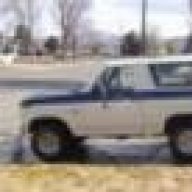
Hey guys- i finally got my new bronco today. It was an waesome day to take some pics, so i went out and did so. Unfortunately, i'm havong some difficulties uploading them to a gallery album on this site, so if u want to see them u need to go to www.kodakgallery.com then u sign in as [email protected] my password is 449168. I'm only using this for bronco photos so it should be easy to find them. I'll try again, later, to get an album started. Thanx and tell me what u think. The rust pix are of inbetween the body and the tailgate- worst rust on the thing.
 

Yardape

New member
Joined
Sep 18, 2006
Messages
2,414
Reaction score
6
Location
Alberta
If you cant upload try making them a bit smaller. There was few that I had do that in order to upload


Mike @ Tracy

New member
Joined
Jan 13, 2007
Messages
305
Reaction score
0
Location
winnemucca nevada
SWEEEEEEEEEET! Thats a clean ride! I'm glad you decided to get her > > Now the fun begins...... Most of the time a picture off a digi cam is to big to upload to you're gallery like Yardape said. My Kodak and Cannon both shoot out pics over 2mb. If you get some editing software you can resize then upload rather quickly. I use IRFANVIEW. You can use this software for pics, movies, audio anything really and its absolutly free at IRFANVIEW.com Good luck, Nice truck!!


Roadkill

New member
Joined
May 29, 2005
Messages
940
Reaction score
7
Location
Killeen, TX
You can also resize them using the "Paint" program that comes with windows. You can find it on the start menu; sometimes it's on the main start menu and sometimes under "accessories".

1. Just open the picture in "paint"

2. Then click on "image" at the top of the screen

3. Under "image" select "stretch/skew"

4. In the top part of the dialoge box under "stetch" enter a percentage (less than 100) for horizontal and vertical. Make sure to use the same number in both boxes or the picture will come out wierd looking. Leave the "skew" boxes blank.

5. Click OK

6. Save with a new file name.

Check the size of your new file, if it's still to big, repeat the steps. There are better and easier to use programs out there, but this one comes with windows, so you won't have to buy anything. Well I just typed all that, and on proof-reading, I see that the software mentioned by Mike@Tracy is also free.

 
OP
OP
B

BuckingBronco449168

New member
Joined
Mar 26, 2007
Messages
19
Reaction score
0
Im glad u like it! Thanx for the tips on uploading- thats exactly the problem i was haing-they are simply too big. I'm gonna try to get that program Mike @ tracy mentioned. I tried the paint method- but, when imput the pic in paint, the picture came out as a negatie for some reason...????. I'll let u know when i get an album up.


bobstrat

New member
Joined
Nov 18, 2006
Messages
367
Reaction score
0
Location
beautiful trenton, n.j.
i used a photobucket account. its also free and automatically resizes pics for ya. provides you with the code needed to post them here. was much easier than trying to get them here from my computer.


Members online

No members online now.

Latest posts

Forum statistics

Threads
22,773
Messages
137,722
Members
25,614
Latest member
Val
Top